Shopping sales are down. Your store is open and your ads are running. Before you touch the budget, check whether your products are still allowed to show. Google now says its automatic price and stock updates may not keep up with products that change often, and a product whose page disagrees with your feed may be disapproved instead of corrected.
For a WA shop selling pumps, pool gear or fencing supplies, that gap can quietly pull a popular item out of Shopping in the middle of a trading day. The first fix is a comparison you can run yourself.
Key takeaways
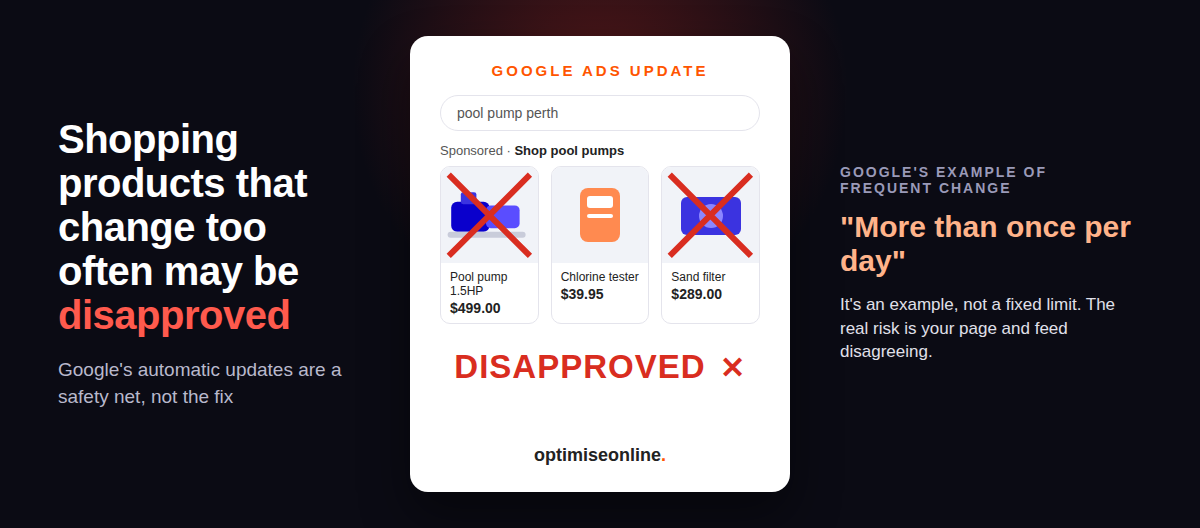
- Google uses “more than once per day” as an example of frequent change. It is not a fixed disapproval limit.
- Automatic updates are a safety net for occasional mismatches. They do not replace accurate, regular product data.
- Compare an affected product’s page with its Merchant Center data, then ask your developer how the two stay in step.
What changed in Google Merchant Center?
Google’s Merchant Center help page on automatic product updates now reads: “Automations may not work for products with frequent price or availability value changes (for example, more than once per day). The product may be disapproved instead of updated if we detect a mismatch.” It adds that Google may stop updates altogether if the total number of detected mismatches gets too large.
“May” means may. Changing a price twice in a day does not automatically remove a product. The risk sits in the mismatch: Google has one price or stock status on file, your product page shows another, and the automatic fix cannot keep pace.
This is a help-page revision, not an announcement. Search Engine Roundtable reported it on 8 October 2026, citing industry tracking that spotted the change on 27 September. Google’s own page also says automations are designed to fix sporadic problems for a small share of products, and that stores expecting frequent price or availability changes should use the Merchant API.
How a product gets disapproved for a price or stock mismatch
Picture a Perth pool shop running WooCommerce. A pump sells at 11am and the product page flips to out of stock. The feed still says in stock until its next scheduled run. If Google checks the page in that window, it finds a mismatch. The automatic update may not resolve it, and the pump may be disapproved instead. (A hypothetical example, not a client account.) A sale price that lands on the page before the feed catches up creates the same gap.
A disapproved product cannot appear in Shopping ads or free listings until the issue is fixed, and it cannot serve through Performance Max either. That is separate from bidding or auction competition. Your campaign can look perfectly healthy while individual products sit on the bench. Our digital advertising page covers how Shopping and Performance Max fit together.
The moving parts are often hidden. A stock plugin writes a change after every sale or restock. A pricing tool runs a timed promotion. A POS or ERP integration updates the site and the feed on different schedules. Each system can be working exactly as designed while the customer sees one answer and Google holds another.
The 15-minute sync audit
You do not need to understand the integration to find the first clue. Pick one product you expected to see in Shopping and follow it through:
- Look for the symptom. In Merchant Center, open your product issues or diagnostics and filter for price and availability problems. Note any disapprovals that appeared from late September, and the product IDs affected.
- Compare the two versions. Open the live product page and check its price and stock status against what Merchant Center holds. If they match now, ask when each last changed. A mismatch can come and go between checks.
- Find the frequency. Ask whoever manages your site one question: “How many times a day does the stock or price sync actually write to the product page and the feed?” If values change frequently, look for a gap between the two. There is no fixed daily limit.
- Make the call. If the changes reflect real business, like genuine stock movement during trading, the durable fix is Google’s own recommendation, the Merchant API. That is a developer task. If a plugin needlessly rewrites unchanged values, ask your developer whether it can reduce those writes while keeping the page, feed and checkout accurate.
- Re-check. After any change, watch the same products in Merchant Center for a week before you trust the fix.
This is our troubleshooting sequence, built from Google’s documented rule. It is not a Google test, and it cannot promise reapproval. If you do not have Merchant Center access, ask whoever runs your Shopping campaigns for the affected product IDs before anyone touches a plugin.
What to hand your developer
Give them the product IDs, when the issues appeared, the values Merchant Center holds and the page URLs. Ask them to trace three moments: when the site writes a price or stock change, when the feed sends it, and what a shopper sees in between. Caching, sale-price rules and integration queues can all open a gap even when each system looks fine on its own. The structured data on each product page should match the visible offer too. Our piece on Google’s star-rating schema change shows how much weight Google puts on that markup being accurate.
Implementing the Merchant API is your developer’s job, not a settings tweak, so we will stop there. The principle is simple enough: send Google accurate data often, and treat automatic updates as the safety net, not the system.
Questions store owners ask
Will Google disapprove every product that changes twice a day?
No. Google gives “more than once per day” as an example of frequent change. It says automatic updates may not work and a mismatched product may be disapproved. Check the actual issue listed in Merchant Center before drawing conclusions.
Should I only update my stock once a day?
Not if your stock genuinely moves during the day. The goal is a product page and feed that agree. If real changes happen often, ask your developer about the Merchant API rather than slowing your updates.
Why would Performance Max sales drop if my campaign is still running?
A campaign can stay active while individual products are disapproved. Those products cannot serve until the issue is fixed. Check product status in Merchant Center alongside your campaign reports before blaming bids or competition.
Check the product before the pipeline
Start with one affected item. Compare what Google holds with what your customer sees, then get your developer to trace the delay. Christmas trading is weeks away. Would you rather find the mismatch in Merchant Center now, or in December’s sales figures? If you want a second set of eyes on how your store shows up in search, our Perth SEO team can help.
Sources
- Google Merchant Center Help, Allow Merchant Center to update product information automatically, checked 12 October 2026.
- Search Engine Roundtable, Google Merchant Center may disapprove products that change frequently, 8 October 2026. Reporting context and revision date only.