
If your Google Ads cost per lead has crept up since mid August, and nothing looks broken, this is almost certainly why. On 17 August 2026, Google changed how budget-limited campaigns on a target-based bid strategy deliver. Campaigns that used to beat their stated target may now cost more per lead, not because anything failed, but because Google is now holding them to the number you set. Here is what changed and the one check worth running this week.
What Google changed on 17 August 2026
The change applies to campaigns with a “Limited by budget” status that use Target CPA (a cost-per-action goal) or Target ROAS (a return-on-ad-spend goal). Google confirmed the update on its Ads Help page, “Changes to target-based bid strategies”.
Before this update, a campaign that kept hitting its daily budget ceiling was often held back by the budget, not the target. Some campaigns therefore overachieved. You might set a Target CPA of thirty dollars and see leads come in at fifteen because the budget cap was the real limit. From 17 August, Google’s systems optimise more consistently towards the target you entered, even as you adjust budgets.
Google is clear about what has not changed. Your budgets are untouched, the auction itself is unchanged, and daily and monthly spend caps are still respected. What has changed is how faithfully the system delivers to your stated target once the budget is no longer the binding constraint.
Why your cost per lead may have gone up
Here is the uncomfortable part. If a campaign had been converting well under its target, that gap was free efficiency you may not have noticed. Now the campaign is being pulled towards a target you may have set long ago and never revisited.
Google’s own illustrative example makes it plain: a campaign with a Target CPA of ten dollars that had recently been achieving a five dollar CPA will now deliver closer to that ten dollar target. If ten was a number you typed in eighteen months ago and forgot about, your cost per lead can double while the account status still reads perfectly healthy.
Smaller budgets feel this most. Accounts running lean are often “Limited by budget”. A Perth trade business or clinic spending a few hundred dollars a week is therefore more exposed to a target set once and left alone.
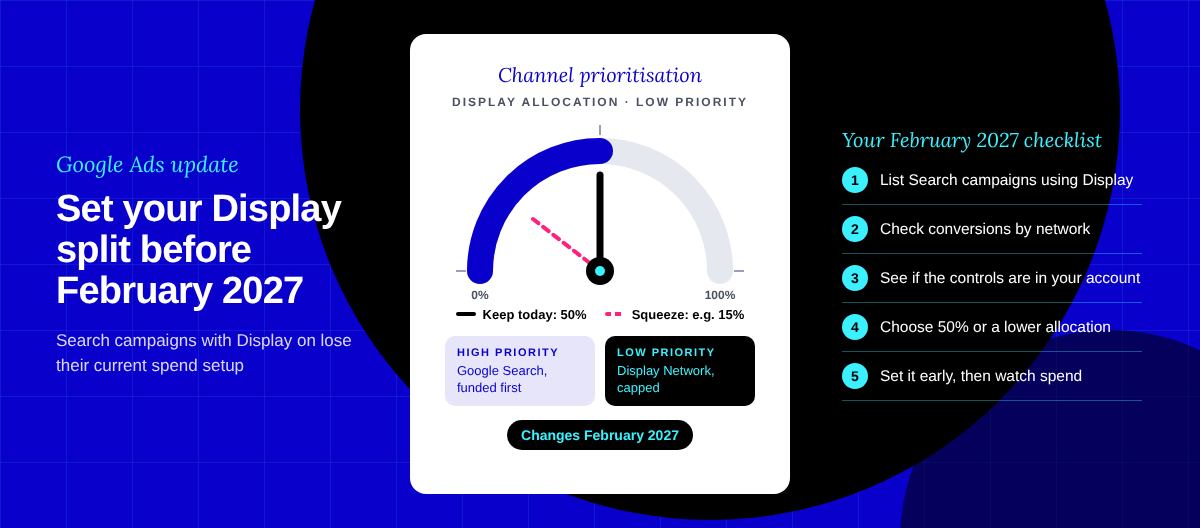
The change spans Target CPA and Target ROAS across Search, Shopping, Performance Max, Demand Gen, Display, Hotel and Travel campaigns, plus Target CPC on Demand Gen. App campaigns and video reach and view campaigns keep their previous behaviour, and campaigns that were never budget-limited are unaffected. For Performance Max and Demand Gen, Google also cautions that spend allocation across channels may shift, though it frames that as a possibility, not a certainty.
The one check to run this week
Open Google Ads and look for any campaign flagged “Limited by budget” that runs Target CPA or Target ROAS. For each one, compare the target you set against the actual CPA or ROAS it has been delivering over the last month or two. Where the actual performance sits well inside the target, that is a campaign at risk of drifting towards a more expensive result now that the target is binding.
Google has built a Bid Target Adjustment Tool inside Google Ads for exactly this review. You reach it from the “Review your campaign targets” notification banner at the top of your dashboard, or from the Campaigns page by opening a campaign’s settings, choosing Bidding, then Review campaigns. Google states it will not adjust your targets or budgets for you. The decision, and the action, remain yours.
An illustrative Perth example
The following is a hypothetical example for illustration only. It is not a real Optimise Online client and uses no client data.
Picture a Perth-based electrician running a single Search campaign for emergency callouts. The campaign is capped at a modest daily budget and has read “Limited by budget” for most of the year. The Target CPA was set at fifty dollars per booked enquiry when the account was built, but for months the campaign has quietly delivered enquiries at around twenty-eight dollars, because the budget, not the target, was doing the limiting.
| Path from 17 August | What happens |
|---|---|
| Owner does nothing | The campaign drifts from its recent twenty-eight dollar cost per enquiry towards the fifty dollar target originally set. Enquiry volume may hold or rise, but each enquiry can cost noticeably more, and the owner sees a “sudden” jump in cost per lead with no obvious cause. |
| Owner reviews and resets | Using the Bid Target Adjustment Tool, the owner lowers the target towards the twenty-eight dollar figure the campaign has actually been achieving. Performance stays close to recent levels. If growth is the goal, the owner can then lift the budget deliberately, at a target that reflects reality. |
The lesson is not “cut every target”. It is that a target set once and forgotten is now a live lever on your cost per lead, and it deserves a considered look.
How to reset a stale target without disruption
If a review shows a stale target, adjust it in measured steps. Change it by no more than about twenty per cent at a time, then let the campaign settle for a conversion cycle or two before judging the result. Smart Bidding needs stability to learn, and a large overnight swing can create more volatility.
You have several options. Keep the target as is if it genuinely reflects your goals. Lower it towards recent actual performance to protect your current cost per lead. Set a custom figure that balances cost and volume. Or, if volume matters more than a fixed cost target, move to a strategy like Maximise conversions, accepting that cost per result will then vary with your budget. Each is a legitimate choice; the right one depends on your goals, not on a default.
Key takeaways
- From 17 August 2026, budget-limited Google Ads campaigns on Target CPA or Target ROAS deliver more consistently to the target you set, so campaigns that used to beat their target may now cost more per lead.
- Nothing is broken. Budgets, auction mechanics and spend caps are unchanged; only target conformance has tightened.
- Check every “Limited by budget” target campaign, compare the set target against recent actual performance, and reset stale targets using Google’s Bid Target Adjustment Tool.
- Adjust targets in measured steps, roughly twenty per cent at a time, and let the campaign settle before judging it.
- The rollout is gradual, so check your own account rather than assuming a single change date.
None of this requires panic, and none of it means your account has failed. It means a setting that used to sit harmlessly in the background is now doing real work, and it pays to make sure that setting still matches what your business actually needs. If you would like a second set of eyes on your campaigns, our roundup of the best paid media resources is a good place to start, and our write-up on testing Google Ads campaigns in Australia covers how to grow spend without losing control of performance.